


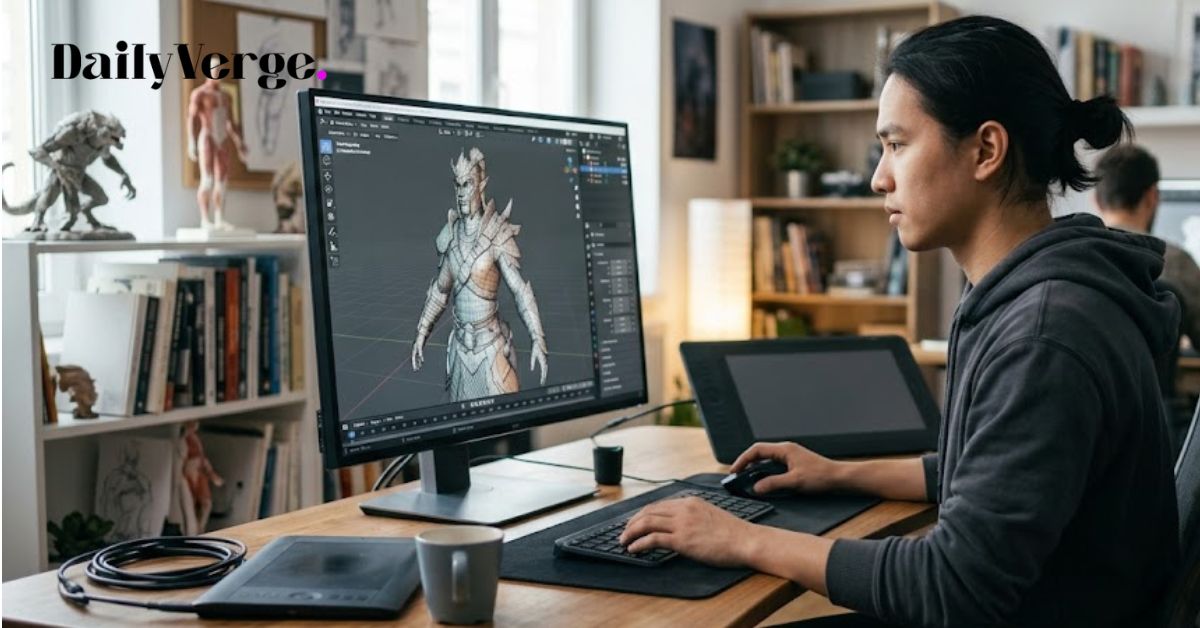
Three-dimensional design has transformed how people create products, buildings, games, films, and digital artwork. Whether you’re designing a simple household object or developing characters for a blockbuster game, choosing the best 3d modeling software can significantly improve your workflow and the quality of your final project.
Today’s software offers much more than basic modelling. Many applications include advanced sculpting, realistic rendering, animation, simulation, cloud collaboration, and AI-assisted tools that help speed up repetitive tasks. At the same time, there are excellent free options that allow beginners to learn professional techniques without investing in expensive licences.
The challenge is that every program serves a different purpose. Some excel at animation, while others focus on engineering, architecture, manufacturing, or digital sculpting. Selecting software based solely on popularity may leave you with features you never use or, worse, without the tools your projects require.
This guide explores the leading options available today, explains who each program is designed for, compares their strengths and weaknesses, and helps you choose software that matches your skills, budget, and career goals.
Why Choosing the Right 3D Modeling Software Matters
Modern industries depend heavily on digital design. Architects visualise buildings before construction begins. Manufacturers test products virtually before producing prototypes. Game studios build realistic environments and characters. Film companies create stunning visual effects that would be impossible using traditional techniques.
Using the right software helps you complete projects more efficiently while reducing mistakes. Instead of spending hours fixing modelling problems, you can focus on creativity and innovation.
A good modelling application should offer:
- Easy navigation
- Reliable modelling tools
- High-quality rendering
- Strong file compatibility
- Regular software updates
- Helpful learning resources
- Active community support
- Scalable features for future growth
Choosing software that matches your goals can shorten the learning curve and improve long-term productivity.
What Is 3D Modeling Software?
3D modeling software allows users to create digital objects with width, height, and depth. These digital models can represent almost anything, including furniture, vehicles, buildings, machinery, jewellery, medical devices, game characters, and animated creatures.
Most programs provide tools for creating shapes, editing geometry, applying materials, adjusting lighting, and producing realistic renders or animations.
Depending on the software, users can create models through:
- Polygon modelling
- Digital sculpting
- Parametric modelling
- Procedural modelling
- CAD-based design
- Surface modelling
Each technique serves different industries and creative goals.
Who Uses 3D Modeling Software?
The demand for skilled 3D artists continues to grow across numerous industries.
Common users include:
Game Developers
Game studios create characters, environments, weapons, vehicles, buildings, and interactive objects using specialised modelling software.
Architects
Architectural firms develop realistic building designs, interior layouts, and walkthrough presentations before construction starts.
Product Designers
Companies create digital prototypes to test product ideas before manufacturing begins.
Mechanical Engineers
Engineering firms design machines, industrial equipment, automotive components, and manufacturing systems.
Film Studios
Movies rely on digital artists to create visual effects, creatures, environments, and cinematic animations.
Interior Designers
Interior designers produce realistic room layouts, furniture arrangements, lighting plans, and client presentations.
Jewellery Designers
Precision modelling software enables jewellery designers to create highly detailed rings, necklaces, watches, and custom accessories.
Medical Professionals
Medical researchers and educators use detailed anatomical models for training, planning procedures, and visualisation.
Features to Look for Before Choosing Software
Not every program offers the same capabilities. Before investing your time and money, evaluate the features that matter most.
Ease of Learning
Beginners benefit from software with an intuitive interface, interactive tutorials, and active user communities. Easy-to-understand tools help new users gain confidence more quickly.
Performance
Large projects can contain millions of polygons. Efficient software handles complex scenes without slowing down your computer unnecessarily.
Rendering Quality
Photorealistic rendering is essential for architecture, product marketing, advertising, and animation. Built-in rendering engines save both time and additional software costs.
Animation Tools
If you plan to create films or games, look for advanced animation systems including rigging, skinning, motion editing, particle systems, and physics simulations.
Sculpting Features
Character artists often need digital sculpting tools capable of creating realistic facial expressions, skin textures, clothing folds, and organic details.
CAD Capabilities
Engineers and manufacturers require accurate measurements, precision tools, and compatibility with manufacturing workflows.
File Compatibility
The ability to import and export multiple file formats improves collaboration between clients, designers, engineers, and production teams.
Community Support
Large communities provide free tutorials, plugins, templates, troubleshooting guides, and educational resources that make learning easier.
Best 3D Modeling Software for Beginners
Many newcomers believe professional software is too difficult to learn. Fortunately, several applications are designed to simplify the learning process without sacrificing important features.
Blender
Blender has become one of the most recommended choices for newcomers and experienced artists alike. It combines modelling, sculpting, animation, rendering, video editing, motion tracking, and compositing within a single application.
Many professionals consider Blender among the best 3d modeling software options because it offers remarkable capabilities without charging users anything. Its open-source nature means developers continually improve performance and introduce new features.
Although beginners may initially feel overwhelmed by the interface, thousands of tutorials, online courses, and community forums make learning much easier than in previous years.
Blender is especially suitable for:
- Character creation
- Game assets
- Product visualisation
- Animation
- Visual effects
- Architectural rendering
- Motion graphics
Advantages include:
- Completely free
- Cross-platform support
- Frequent updates
- Massive online community
- Extensive plugin ecosystem
- Professional rendering engine
Potential drawbacks include:
- Steeper learning curve
- Complex interface for complete beginners
- Some advanced workflows require additional practice
SketchUp
SketchUp is widely recognised for its simplicity. Its clean interface enables users to begin creating buildings and interiors almost immediately.
Architects, homeowners, furniture designers, and construction professionals appreciate how quickly ideas can be transformed into digital models.
The software also provides access to a huge library of pre-built components, reducing the time required to assemble detailed scenes.
SketchUp performs particularly well for:
- Home renovation
- Interior planning
- Landscape design
- Building concepts
- Furniture layouts
Advantages include:
- Easy to learn
- Fast modelling workflow
- Excellent architectural tools
- Extensive component library
- Large educational community
Limitations include:
- Less suitable for advanced animation
- Limited sculpting capabilities
- Advanced rendering often requires plugins
Tinkercad
Tinkercad focuses on simplicity rather than advanced professional features. Students, educators, and hobbyists can create printable models using straightforward drag-and-drop tools.
Because it operates through a web browser, installation is unnecessary, making it popular in classrooms around the world.
Tinkercad works particularly well for:
- Educational projects
- Basic product prototypes
- Children’s learning
- Entry-level 3D printing
Wings 3D
Wings 3D offers a lightweight environment dedicated primarily to polygon modelling.
Instead of overwhelming beginners with hundreds of advanced functions, it concentrates on clean modelling tools that help users understand core principles before moving to larger professional applications.
SelfCAD
SelfCAD combines modelling, sculpting, slicing, and 3D printing preparation into one beginner-friendly platform.
Its interactive tutorials and simplified interface help users develop confidence while creating increasingly complex projects.
What Makes Software Beginner-Friendly?
Learning professional digital design requires patience. However, certain software significantly reduces the initial challenges.
Look for programs that provide:
- Interactive tutorials
- Helpful documentation
- Keyboard shortcut guides
- Large learning communities
- Automatic saving
- Beginner templates
- Customisable workspaces
- Stable performance
A supportive learning environment often matters more than having hundreds of advanced features available from day one.
Best 3D Modeling Software for Professional Designers
Professionals demand far more than basic modelling tools. Their daily work often involves complex projects, collaboration across multiple teams, tight production deadlines, and compatibility with industry-standard pipelines.
The best 3d modeling software for professionals typically offers advanced animation systems, precision modelling, scripting support, powerful rendering engines, simulation tools, and seamless integration with other creative applications. These features help studios maintain efficiency while producing high-quality work at scale.
In the next part, we’ll explore the leading professional applications—including Autodesk Maya, Autodesk 3ds Max, Cinema 4D, Fusion 360, SolidWorks, ZBrush, Rhino 3D, and Houdini—along with detailed comparisons, pricing considerations, industry use cases, and recommendations for different types of users.
Autodesk Maya
Autodesk Maya has long been recognised as one of the industry’s leading applications for animation and visual effects. It is widely used by film studios, television production companies, and game developers to create complex characters, cinematic animations, and realistic environments.
Its advanced rigging and animation tools make it particularly valuable for character artists. From facial expressions to lifelike body movements, Maya provides exceptional control over every aspect of animation.
Professional users also appreciate its scripting capabilities, allowing studios to automate repetitive tasks and build customised production pipelines.
Maya is ideal for:
- Feature films
- Television animation
- Character rigging
- Visual effects
- AAA game development
Advantages:
- Industry-standard animation tools
- Powerful rigging system
- Excellent simulation features
- Highly customisable workflow
- Strong support for production pipelines
Limitations:
- Higher subscription cost
- Steeper learning curve
- Requires a capable computer for large projects
Autodesk 3ds Max
Autodesk 3ds Max is a favourite among architects, interior designers, and visualisation specialists. Its modelling tools are efficient, while its rendering capabilities allow designers to produce highly realistic presentations.
Many architectural firms rely on 3ds Max to showcase buildings before construction begins.
The software also performs well for game asset creation and product visualisation.
Best suited for:
- Architectural visualisation
- Interior design
- Product rendering
- Furniture design
- Environment modelling
Advantages:
- Excellent modelling workflow
- Strong rendering support
- Huge plugin ecosystem
- Reliable industry reputation
Limitations:
- Windows only
- Subscription pricing
- Less focused on character animation than Maya
Cinema 4D
Cinema 4D has become increasingly popular among motion graphics artists because of its intuitive interface and fast workflow.
Design agencies frequently use it to create advertisements, product presentations, broadcast graphics, and promotional videos.
Its integration with creative workflows allows artists to move from concept to finished animation efficiently.
Ideal for:
- Motion graphics
- Marketing content
- Broadcast design
- Product animations
- Advertising
Advantages:
- Easy interface
- Stable performance
- Fast rendering
- Excellent motion graphics tools
Limitations:
- Premium pricing
- Fewer sculpting tools compared with specialist software
Fusion 360
Fusion 360 combines CAD, CAM, and 3D modelling into one platform. Engineers and product designers use it to develop products from the initial concept through manufacturing.
Cloud collaboration enables teams to review and improve designs regardless of location.
Fusion 360 works particularly well for:
- Mechanical engineering
- Product development
- Manufacturing
- CNC machining
- Industrial design
Advantages:
- Precision modelling
- Cloud collaboration
- Integrated manufacturing tools
- Parametric design
Limitations:
- Learning curve for new users
- Internet connection required for some cloud features
SolidWorks
SolidWorks is widely used across engineering industries because of its accuracy and reliability.
Unlike artistic modelling software, it focuses on engineering precision, mechanical assemblies, simulations, and manufacturing documentation.
It remains a preferred solution for companies producing mechanical equipment and industrial products.
Ideal for:
- Mechanical engineering
- Industrial machinery
- Automotive components
- Manufacturing
- Product testing
Advantages:
- Extremely accurate modelling
- Excellent simulation tools
- Professional documentation
- Manufacturing integration
Limitations:
- Higher cost
- Windows-focused
- Less suitable for animation projects
ZBrush
When creating highly detailed characters, creatures, or digital sculptures, ZBrush stands out as a leading choice.
Artists can sculpt millions of polygons while maintaining smooth performance, allowing for realistic skin textures, wrinkles, clothing details, and organic forms.
Film studios and game developers frequently use ZBrush alongside other modelling applications.
Best for:
- Character artists
- Creature design
- Digital sculpting
- Film assets
- Game characters
Advantages:
- Exceptional sculpting tools
- High-detail workflow
- Excellent brush system
- Industry standard for digital sculpture
Limitations:
- Limited CAD features
- Unique interface requires practice
Rhino 3D
Rhino 3D is known for precision surface modelling. Designers working in jewellery, architecture, marine design, and industrial manufacturing value its accuracy.
It excels when creating complex curved surfaces that require exact measurements.
Common applications include:
- Jewellery
- Product design
- Architecture
- Marine engineering
- Furniture
Houdini
Houdini specialises in procedural modelling and visual effects.
Rather than creating everything manually, artists build systems capable of generating highly detailed environments, destruction effects, smoke, fire, water, and simulations automatically.
Large film studios frequently rely on Houdini for blockbuster visual effects.
Ideal for:
- Visual effects
- Simulations
- Procedural environments
- Film production
- Large-scale animations
Best Free 3D Modeling Software
Not everyone needs an expensive subscription. Several free applications provide impressive capabilities for learning, freelancing, and even professional work.
Popular free options include:
| Software | Best For | Free | Difficulty |
|---|---|---|---|
| Blender | Animation, games, rendering | Yes | Medium |
| FreeCAD | Engineering | Yes | Medium |
| Tinkercad | Beginners | Yes | Easy |
| Wings 3D | Polygon modelling | Yes | Easy |
| Meshmixer | 3D printing | Yes | Easy |
These applications demonstrate that beginners can develop professional skills without a large financial investment.
Best 3D Modeling Software for Different Users
Choosing software becomes easier when you focus on your goals rather than trying to find a single solution for every task.
Beginners
- Blender
- SketchUp
- Tinkercad
- Wings 3D
Professional Animators
- Autodesk Maya
- Blender
- Cinema 4D
Architects
- SketchUp
- Autodesk 3ds Max
- Rhino 3D
Engineers
- Fusion 360
- SolidWorks
- FreeCAD
Game Developers
- Blender
- Autodesk Maya
- ZBrush
Product Designers
- Fusion 360
- Rhino 3D
- SolidWorks
3D Printing Enthusiasts
- Blender
- Tinkercad
- Meshmixer
- Fusion 360
Comparison Table
| Software | Best For | Operating System | Free Version | Learning Difficulty |
|---|---|---|---|---|
| Blender | All-purpose creative work | Windows, macOS, Linux | Yes | Medium |
| Maya | Animation | Windows, macOS, Linux | Trial | Advanced |
| 3ds Max | Architecture | Windows | Trial | Advanced |
| Cinema 4D | Motion graphics | Windows, macOS | Trial | Medium |
| SketchUp | Architecture | Windows, macOS, Web | Limited | Easy |
| Fusion 360 | Engineering | Windows, macOS | Personal licence available | Medium |
| SolidWorks | Manufacturing | Windows | No | Advanced |
| Rhino 3D | Product design | Windows, macOS | Trial | Medium |
| ZBrush | Sculpting | Windows, macOS | Trial | Medium |
| Houdini | Visual effects | Windows, macOS, Linux | Apprentice edition | Advanced |
Important Factors Before Making Your Decision
Before committing to any software, consider the following questions:
- What type of projects will you create most often?
- Are you learning as a hobby or building a professional career?
- Does your computer meet the recommended hardware requirements?
- Do you need collaboration features?
- Will you require advanced rendering or animation?
- Is a free solution sufficient, or do you need premium tools?
- How active is the software’s user community?
- Does it support the file formats your clients or colleagues use?
Answering these questions can help narrow your choices and prevent unnecessary spending.
Advantages of Modern 3D Modeling Software
Today’s software provides benefits that extend far beyond creating digital models.
Some key advantages include:
- Faster product development
- Improved design accuracy
- Better collaboration
- Realistic visualisation
- Reduced production costs
- Easier revisions
- Support for 3D printing
- High-quality presentations
- Integration with manufacturing workflows
- Flexible export options
Potential Drawbacks
Despite their capabilities, modelling applications also present some challenges.
These may include:
- Steep learning curves
- Expensive subscriptions for premium software
- High hardware requirements
- Large project file sizes
- Time-consuming rendering for complex scenes
- Ongoing training to keep up with new features
Understanding these limitations helps you choose software that matches both your budget and your technical experience.
Future Trends in 3D Modeling
The industry continues to evolve rapidly, introducing tools that improve efficiency and creativity.
Some notable developments include:
- AI-assisted modelling and workflow automation
- Cloud-based collaboration
- Real-time rendering
- Improved virtual reality integration
- Better support for augmented reality projects
- Faster GPU-accelerated rendering
- Enhanced simulation tools
- More accessible learning resources for beginners
These innovations are making professional-quality design more accessible to individuals and businesses alike.
FAQs
What is the best 3D modeling software for beginners?
Blender and SketchUp are excellent starting points. They offer powerful features, active communities, and plenty of tutorials for new users.
Which software do professionals use?
Professionals commonly use Autodesk Maya, Autodesk 3ds Max, Blender, Cinema 4D, SolidWorks, ZBrush, and Houdini, depending on their industry and workflow.
Is Blender good enough for professional work?
Yes. Blender is widely used in animation, game development, product visualisation, and visual effects, making it suitable for many professional projects.
Which software is best for 3D printing?
Fusion 360, Blender, Tinkercad, and Meshmixer are popular choices because they help create models that are ready for printing and manufacturing.
Do I need a powerful computer for 3D modelling?
Basic projects can run on mid-range systems, but complex scenes, high-resolution rendering, and advanced simulations benefit from faster processors, dedicated graphics cards, and sufficient memory.
Conclusion
Finding the best 3d modeling software depends on your experience, industry, and creative goals rather than choosing the most expensive option. Beginners often benefit from accessible tools such as Blender, SketchUp, or Tinkercad, while professionals may require the specialised capabilities of Maya, 3ds Max, SolidWorks, or Houdini for demanding production environments.
Take time to evaluate your budget, preferred workflow, hardware, and the type of projects you plan to create. A solution that suits an architect may not meet the needs of a game developer or product designer. By matching the software to your objectives, you can develop your skills more efficiently, produce higher-quality work, and remain adaptable as technology continues to evolve. Whether you are creating your first digital model or managing complex commercial projects, investing time in learning the right application will provide long-term value and open up new creative opportunities.
As 3D design technology continues to evolve, learning complementary technical skills can broaden your career opportunities. For readers interested in software planning and development, don’t miss [Software Architecture Diagram: A Complete Guide for Beginners and Professionals]. Likewise, keeping up with emerging digital platforms through resources like SEO Instant Appear HighSoftware99.com: What It Is, How It Works, and What You Should Know can help you stay informed about the latest technology trends.
