


In Counter-Strike 2, aiming precision can decide whether you win or lose a round. One of the most important parts of improving your aim is understanding how small adjustments can change your performance. Many players overlook this, but your crosshair setup plays a huge role in consistency, recoil control, and headshot accuracy. In fact, cs2 crosshairs are often the first thing professional players customize when setting up their game.
A good crosshair is not just about appearance. It is about visibility, comfort, and accuracy in different situations. Whether you are a beginner or an experienced player, finding the right setup can significantly improve your gameplay experience.
What Are Crosshairs in CS2?
Crosshairs are the aiming reticle displayed at the center of your screen. They guide your shots and help you align your aim with enemy targets. In competitive matches, even a slight change in visibility or size can affect your performance. Many players experiment with cs2 crosshairs to find the most comfortable and effective design for their playstyle.
Unlike older versions of the game, CS2 offers more customization options. Players can adjust color, thickness, gap, and dynamic movement to match their preference. This flexibility allows each player to create a setup that feels natural and responsive.
Why Crosshair Settings Matter
The importance of crosshair customization cannot be ignored in competitive play. A well-designed setup improves reaction time and reduces visual distractions. When players use optimized cs2 crosshairs, they often experience better tracking and smoother aim transitions.
Another key factor is visibility. On different maps with varying lighting conditions, a poorly chosen crosshair can blend into the background. This makes it harder to aim accurately. A clear and properly colored crosshair ensures you always stay focused on your target.
Best Crosshair Settings for Better Aim
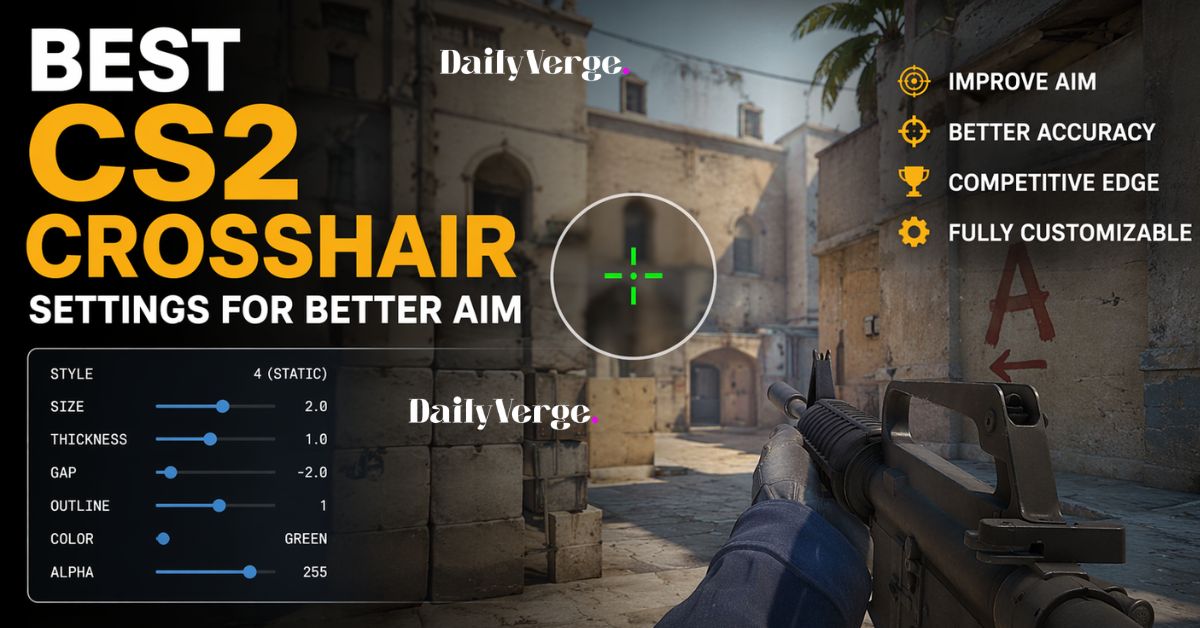
Choosing the right configuration depends on personal preference, but some general settings are widely used by experienced players. These include small size, static style, and bright contrasting colors. Competitive players often test multiple cs2 crosshairs before settling on one that fits their aim style.
Small crosshairs are preferred because they allow better precision when aiming for headshots. A static design ensures the crosshair does not expand while moving, helping players maintain consistent aim control. Bright colors such as green or cyan are commonly used for visibility across all maps.
Crosshair Styles Explained
CS2 offers different crosshair styles, each suited for different types of players. Some prefer static crosshairs that remain fixed during movement, while others prefer dynamic ones that expand when shooting.
Among all variations, cs2 crosshairs with static settings are the most popular in competitive matches. They help players maintain focus and reduce unnecessary distractions during firefights. Dynamic styles are often used by beginners who want visual feedback on recoil, but they are less common in professional gameplay.
Pro Player Crosshair Preferences
Professional players spend a lot of time refining their aim setup. Most of them use minimalistic and clean designs. These setups are designed for maximum focus and accuracy rather than visual effects. Many competitive gamers study cs2 crosshairs used by professionals to improve their own performance.
Pro players usually prefer small gaps, low thickness, and simple colors. The goal is to keep the screen clean and reduce distractions during intense moments. Watching professional gameplay can give beginners a better idea of how effective crosshair choices influence performance.
How to Change Crosshair Settings
Changing your crosshair in CS2 is simple and can be done through the game settings menu. Players can adjust size, style, and color in real time. This allows quick experimentation until the perfect setup is found.
Some players also switch between different cs2 crosshairs depending on the situation. For example, they may use one setup for casual play and another for competitive matches. This flexibility helps players adapt to different environments and improve overall performance.
Tips to Improve Your Aim Using Crosshair Settings
Improving aim is not only about practice but also about having the right visual setup. A clean and simple crosshair helps reduce eye strain and improves focus. Many experienced players recommend sticking to one setup instead of constantly changing it.
Using consistent cs2 crosshairs allows muscle memory to develop over time. This means your aim becomes more natural and accurate without needing to think too much during gameplay. Practicing regularly with the same setup is one of the fastest ways to improve performance.
Common Mistakes Players Make
One of the most common mistakes is using overly large or flashy crosshairs. These can block visibility and make it harder to aim precisely. Another mistake is frequently changing settings, which prevents muscle memory from developing.
Some players also choose colors that blend into the environment, making it difficult to track targets. Avoiding these mistakes ensures better consistency and smoother gameplay experience when using cs2 crosshairs.
Conclusion
Your crosshair setup is one of the most important parts of improving aim in CS2. While many players focus on sensitivity or hardware, visual accuracy often plays an equally important role. Understanding how cs2 crosshairs work and how to customize them properly can significantly improve your performance in competitive matches.
By choosing a simple, visible, and consistent setup, players can develop better aim control and reaction speed over time. Whether you are new to the game or an experienced player, refining your crosshair is a step toward becoming more consistent and confident in every match.
FAQs
What is the best crosshair for beginners in CS2?
A small and static crosshair is usually best for beginners because it improves accuracy and reduces distractions.
Do pro players use the same crosshair settings?
No, most players customize their own setup, but many professional cs2 crosshairs are small and minimalistic for better precision.
Can crosshair color affect gameplay?
Yes, choosing a bright color improves visibility and helps maintain focus on targets in different maps.
Should I change my crosshair often?
It is better to stick with one setup to build muscle memory and improve consistency over time.
Are dynamic crosshairs good for competitive play?
Dynamic crosshairs are mostly used by beginners. Most competitive players prefer static setups for better control.
Conclusion
A well-optimized crosshair can make a noticeable difference in gameplay performance. By understanding the importance of cs2 crosshairs and choosing a setup that matches your playstyle, you can improve accuracy, consistency, and overall confidence in matches.
Read more gaming guides, strategies, and helpful tips on our website.
