


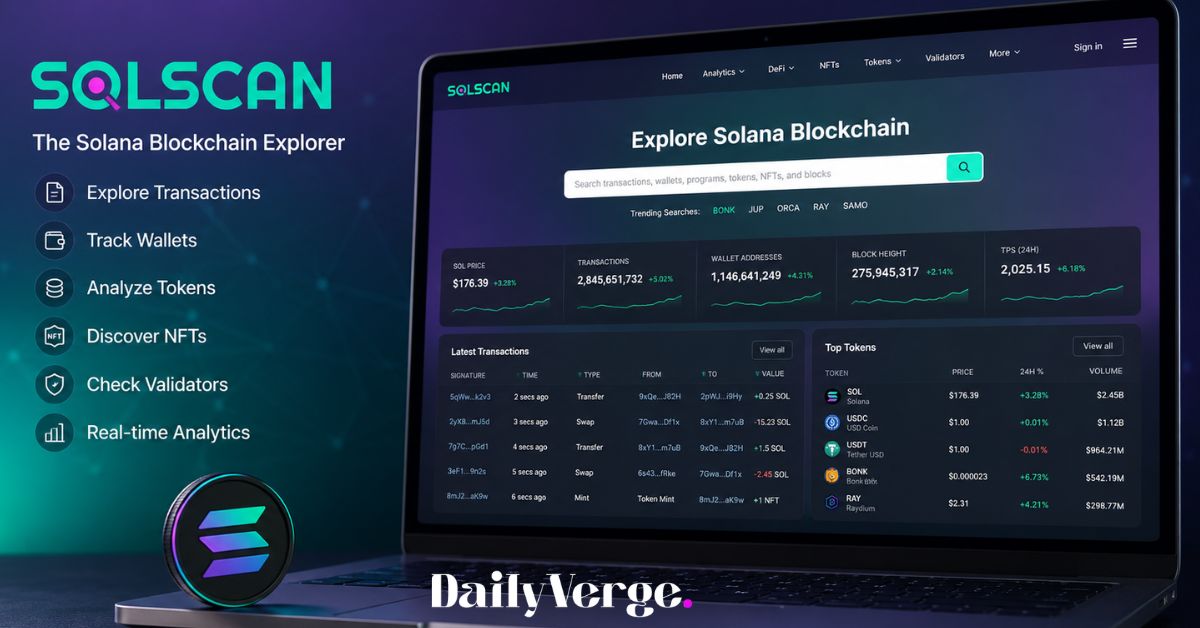
The Solana blockchain processes millions of transactions, supports thousands of tokens, and powers a growing ecosystem of decentralized applications (dApps), NFTs, and DeFi platforms. But how can you see what’s happening on the network in real time?
That’s where Solscan comes in.
Whether you want to verify a payment, check your wallet balance, investigate a token, or follow an NFT transfer, Solscan gives you a clear view of public blockchain data. Instead of reading complicated technical information, you get an organized dashboard that makes blockchain activity much easier to understand.
This guide explains everything you need to know about Solscan in 2026, including its features, how it works, how to use it safely, and why it has become one of the most trusted explorers for the Solana ecosystem.
What Is Solscan?
A Simple Explanation
Solscan is a blockchain explorer designed specifically for the Solana network. Think of it as a search engine for blockchain data.
Just as Google helps you search websites, Solscan helps you search information stored on Solana’s blockchain.
You can search for:
- Wallet addresses
- Transaction signatures
- Tokens
- NFTs
- Validators
- Blocks
- Programs (smart contracts)
Since Solana is a public blockchain, anyone can view transaction data. Solscan simply organizes that information into an easy-to-read format.
Importantly, Solscan does not store your cryptocurrency or control your wallet. It only displays publicly available blockchain information.
How Does Solscan Work?
Every transaction on Solana is permanently recorded on the blockchain.
Solscan continuously indexes this information and presents it in a user-friendly interface.
When you search for a wallet or transaction, Solscan retrieves blockchain records and displays details such as:
- Transaction status
- Timestamp
- Sender and receiver
- Transaction fee
- Token transfers
- Program interactions
- Wallet balances
Because everything updates in near real time, users can quickly verify payments or monitor network activity.
Why Do People Use Solscan?
People use Solscan for many different reasons.
Common uses include:
- Confirming that a payment was successful
- Checking incoming crypto transfers
- Monitoring wallet activity
- Researching new Solana tokens
- Viewing NFT ownership
- Tracking whale wallets
- Investigating suspicious transactions
- Monitoring staking rewards
- Analyzing decentralized finance (DeFi) activity
For developers, Solscan is also valuable for debugging applications and examining smart contract interactions.
Main Features of Solscan
Transaction Explorer
One of Solscan’s most useful features is its transaction explorer.
By entering a transaction signature, you can view:
- Confirmation status
- Block number
- Processing time
- Transaction fee
- Wallet addresses involved
- Tokens transferred
- Program instructions
This makes it easy to confirm whether a payment has been completed.
Example
Imagine sending 5 SOL to a friend.
Instead of wondering whether the transaction succeeded, you can paste the transaction signature into Solscan and immediately see whether it has been confirmed.
Wallet Explorer
The wallet explorer provides a detailed overview of any public Solana address.
Information includes:
- SOL balance
- Token balances
- NFT collections
- Transaction history
- Staked assets
- Account activity
This feature is especially useful for investors who want to monitor their own wallets or study publicly known addresses.
Token Explorer
Before buying a token, it’s a good idea to research it.
The token explorer shows important information such as:
- Total supply
- Number of holders
- Mint address
- Recent transfers
- Token metadata
- Market activity
- Verification status
Reviewing these details can help you avoid fake or suspicious tokens.
NFT Explorer
NFT collectors can also benefit from Solscan.
You can check:
- NFT ownership
- Collection details
- Mint information
- Transfer history
- Metadata
- Marketplace activity
This makes it easier to verify authenticity before buying or selling an NFT.
Validator Information
Solana relies on validators to process transactions and secure the network.
Solscan lets users view:
- Validator rankings
- Voting performance
- Stake amounts
- Network participation
This information can help users choose where to delegate their staked SOL.
Blockchain Analytics
Beyond individual transactions, Solscan provides broader network insights.
Examples include:
- Daily transaction volume
- Active wallets
- Token activity
- DeFi trends
- NFT statistics
- Network growth
These analytics help users understand the overall health of the Solana ecosystem.
How to Use Solscan
Using Solscan is straightforward, even if you’re new to cryptocurrency.
Open the Website
Visit the official Solscan homepage in your web browser.
Use the Search Bar
Paste one of the following:
- Wallet address
- Transaction ID
- Token mint address
- NFT address
- Program ID
Review the Results
Depending on what you searched, you’ll see detailed blockchain information, including balances, transfers, timestamps, and confirmations.
Explore More Details
You can click linked wallet addresses, tokens, or transactions to continue exploring related blockchain activity.
Understanding a Solscan Transaction
A transaction page contains several pieces of information.
Status
Shows whether the transaction is:
- Successful
- Pending
- Failed
Timestamp
Displays exactly when the transaction occurred.
Slot Number
Every Solana transaction belongs to a specific slot, which is similar to a block on some other blockchains.
Fee
Shows how much SOL was paid to process the transaction.
Accounts
Lists the wallet addresses involved.
Token Transfers
Displays every token movement within the transaction.
Program Instructions
Shows which smart contracts were executed.
Developers often use this information for troubleshooting applications.
How to Search a Wallet
Searching a wallet is simple.
Copy the public wallet address and paste it into Solscan.
You’ll immediately see:
- Current SOL balance
- SPL tokens
- NFTs
- Recent transactions
- Stake accounts
- Historical activity
Since blockchain data is public, you don’t need permission to view any public wallet address.
Is Solscan Safe?
Yes.
Solscan is generally considered safe because it only displays public blockchain information.
However, users should follow good security practices.
Never:
- Share your recovery phrase
- Enter your private key
- Approve unknown wallet connections
- Trust fake Solscan websites
Remember, viewing blockchain data never requires revealing sensitive wallet information.
Common Reasons to Use Solscan
Here are a few real-world examples.
Example 1
You sent SOL to an exchange but haven’t received a confirmation email.
Search the transaction to confirm whether it has been processed.
Example 2
You’re thinking about buying a new meme coin.
Review the token’s holders, supply, and transfer history before investing.
Example 3
You purchased an NFT.
Check whether ownership has officially transferred to your wallet.
Example 4
A friend claims they sent payment.
Search the transaction signature to verify the transfer independently.
Benefits of Solscan
Some of its biggest advantages include:
- Free to use
- No registration required
- Real-time blockchain data
- Beginner-friendly interface
- Powerful search capabilities
- Detailed wallet information
- NFT support
- Developer tools
- Token analytics
- Network statistics
Limitations
Despite its usefulness, Solscan has a few limitations.
It cannot:
- Reverse transactions
- Recover lost cryptocurrency
- Reset wallet passwords
- Access private wallets
- Cancel completed transfers
It only displays blockchain records—it does not control them.
Tips for Using Solscan More Effectively
- Double-check wallet addresses before sending funds.
- Bookmark the official website to avoid phishing scams.
- Verify token contracts before purchasing new assets.
- Compare wallet activity over time to spot unusual behavior.
- Use transaction details to troubleshoot delayed payments.
- Research unknown tokens before investing.
Common Mistakes Beginners Make
Many new users misunderstand what Solscan does.
Avoid these common mistakes:
- Thinking Solscan is a wallet.
- Assuming it stores cryptocurrency.
- Expecting it to reverse transactions.
- Sharing private keys with fake websites.
- Confusing wallet addresses with transaction signatures.
Understanding these differences can help you stay safer when using blockchain tools.
FAQs
Is Solscan free to use?
Yes. Most of its core features, including wallet, transaction, token, and NFT searches, are available free of charge.
Can Solscan access my wallet?
No. Solscan only displays publicly available blockchain data and cannot control or access your funds.
Can I recover lost cryptocurrency using Solscan?
No. Solscan is a blockchain explorer, not a recovery service. It cannot reverse or retrieve completed transactions.
Why is my transaction showing as pending or failed?
A pending or failed status can result from network congestion, insufficient fees, or issues with the application that submitted the transaction. Reviewing the transaction details can help identify the cause.
Can I view someone else’s wallet?
Yes. Public wallet addresses on the Solana blockchain are visible to anyone. However, only public transaction data is displayed—private keys and personal information remain confidential.
Conclusion
Solscan has become one of the most useful tools for anyone interacting with the Solana blockchain. Whether you’re a beginner checking your first transaction, an investor researching a token, an NFT collector verifying ownership, or a developer debugging a decentralized application, it provides clear access to on-chain data without requiring technical expertise.
By learning how to read transactions, analyze wallets, and verify blockchain activity, you can make more informed decisions and avoid common mistakes. Remember that Solscan is an explorer—not a wallet or exchange—so always protect your private keys and verify you’re using the official website. As the Solana ecosystem continues to grow in 2026, understanding how to use blockchain explorers like Solscan is an essential skill for navigating the world of Web3.
